 Stroku
Setup guide
Up and running in ten minutes
Install the channel, link Stremio if you use it, add a stream add-on, and connect Real-Debrid so torrent results play as direct links.
-
Install Stroku
Add it from the Roku Channel Store, or search for "Stroku" under Streaming Store on your Roku. It updates automatically.
-
Link your Stremio account (optional)
Open Settings › General › Stremio account, or press * anywhere and choose Connect Stremio. The TV shows a code and a link. Open the link on your phone, sign in, and approve the code. Your library, watch history, and calendar appear on the TV.
-
Add a stream add-on
Copy the add-on's manifest URL (it ends in
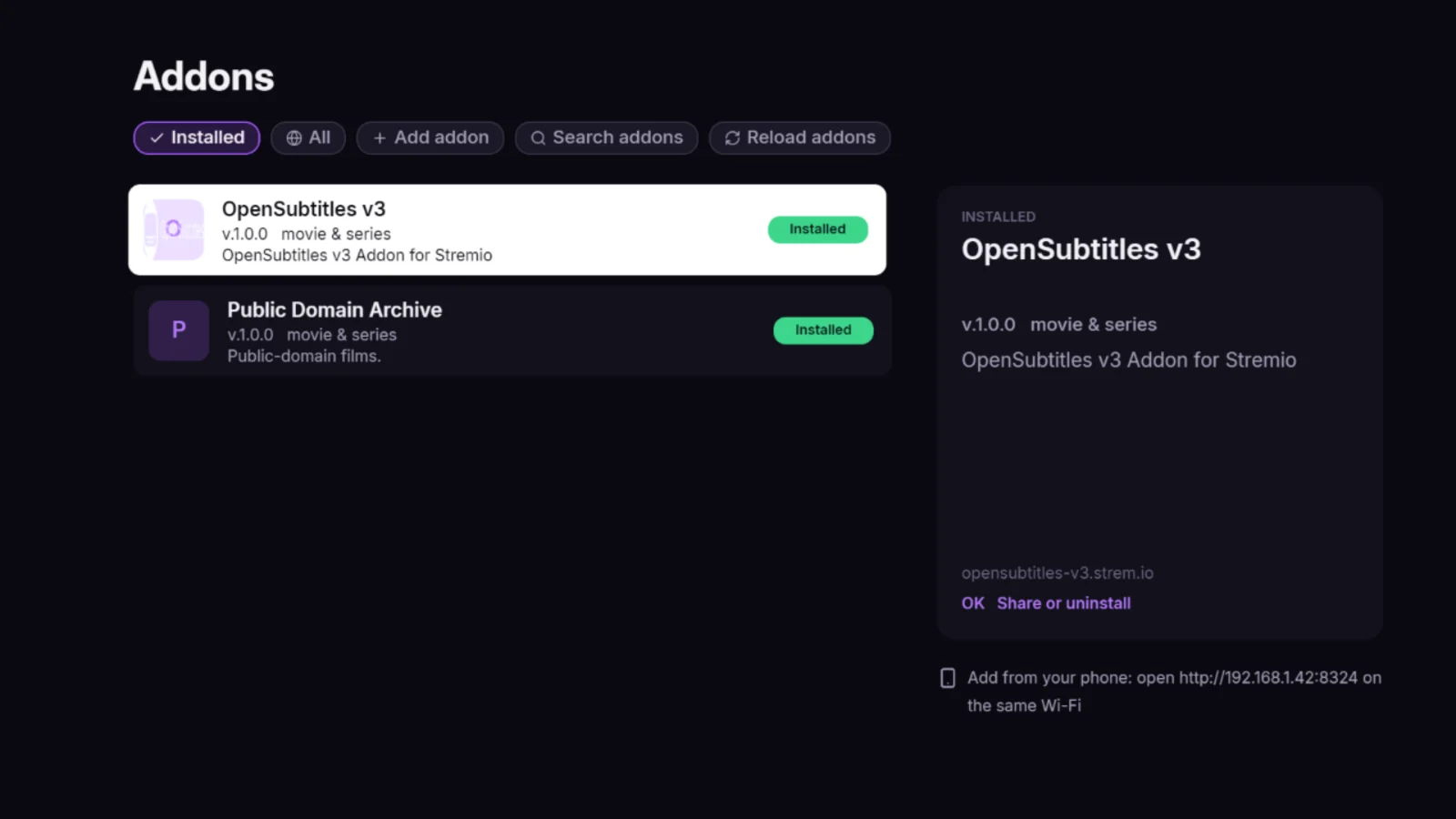
/manifest.json). Then either:- From your phone: when Stroku opens, it shows Phone setup: http://…:8324. Open that address on a phone on the same Wi-Fi, paste the URL, and send it.
- With the remote: open Addons › Add addon. The keyboard has https:// and /manifest.json keys for the parts every URL shares.
-
Connect Real-Debrid (recommended)
Many add-ons return torrents, which a Roku cannot play. With a Real-Debrid account, add-ons that support it return direct links instead: playback starts in seconds and seeking is instant.
Open your add-on's configuration page in a browser, enter your Real-Debrid API key (from your Real-Debrid account page), and install the manifest URL it gives you, as in step 3. Results that come through Real-Debrid are usually marked by the add-on, for example with
RD+.No Real-Debrid? Torrent results can still play through a free Android app. See Watching without Real-Debrid.
-
Pick a title and play
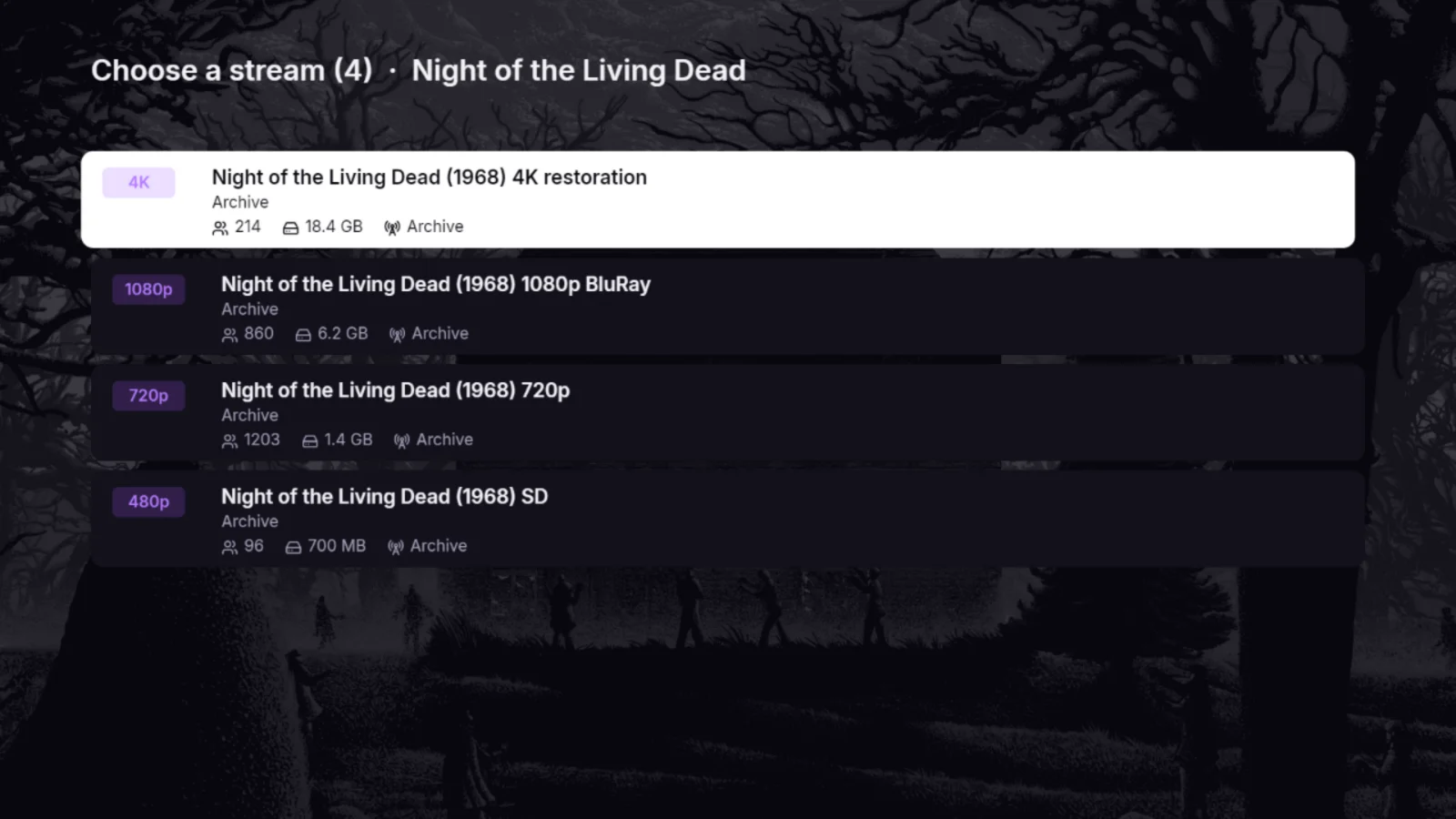
Choose a title, then a stream. Direct links are listed first. Subtitles come from OpenSubtitles, which is installed by default.
Remote shortcuts
Save or quick actions
On a poster: add to or remove from your library. Elsewhere: quick actions.
Jump to Watch
From a row of posters: straight to Watch for that title. In a menu: close it.
Seasons and seeking
In an episode list: change season. In the player with controls hidden: pick a point, then OK.
Subtitles menu
Delay, Style, and Size are at the top; Left/Right adjust them while the video plays.